Every year I watch smart operators treat Black Friday like a fire drill. The plan should have been set months ago, and instead, late October turns into a scramble of half-finished emails, a promo calendar nobody agreed on, and a lot of hope. The work that actually decides how BFCM goes is not the frantic part. It is the quiet prep, and knowing how to use AI for BFCM comes down to pointing it at that quiet prep instead of the panic. The fundamentals of a strong sale have not changed, and I laid those out in our Black Friday and Cyber Monday tips guide last year. What has changed is how much of the prep you can now hand to AI.
The real question is how to do it in a way that lowers the temperature instead of adding to it. Not to write your whole BFCM marketing strategy, and not to run your sale for you. To take the slow, unglamorous prep off your plate so the decisions you actually need to make show up clearly and early.
I run more than two dozen AI agents across the business now, and none of them were built to be clever. They were built to handle the work that a person kept dropping because there was never time. That is the same job AI can do for your ecommerce holiday marketing, and this is how I would point it at BFCM.
How to use AI for BFCM, the short version
If you only take three things from this, take these. Use AI to read last year's BFCM numbers and tell you what actually worked. Use it to get the boring, high-stakes stuff ready ahead of time: your list health, your segments, your automations. Keep a human on every button that goes live. The prep is where AI earns its keep. The judgment stays yours.
AI for BFCM prep at a glance:
Prep job |
What AI handles |
What stays yours |
|
Learn from last year |
Audits last BFCM and shows the numbers behind what worked |
Which patterns to carry forward |
|
List health and segments |
Flags deliverability trends and builds Black Friday customer segmentation to review |
The fix, and approving each segment |
|
Campaign planning |
Turns findings into a BFCM campaign planning calendar and email drafts |
The offer, the dates, the final edits |
|
Automations |
Audits Black Friday email automation like welcome and abandoned cart flows |
Which flows get a BFCM version |
What is AI actually good at during BFCM prep?

AI for Black Friday marketing is good at the parts of BFCM prep that are mostly reading, sorting, and drafting. It is not good at deciding what your brand stands for or what your offer should be. Keep it on the first job, and it becomes a real help. Ask it to do the second, and you get confident nonsense.
The framing I keep coming back to is that you want a partner that pushes back, not a butler that waits. A butler says yes and hands you whatever you asked for. A partner looks at last year's data and tells you the Tuesday send you are proud of actually underperformed, then shows you the numbers. That is the version worth building, and it is the version that makes your prep better instead of just faster.
The trap is treating AI like a magic strategy machine. It works when you give it a real, bounded job with your own data behind it. Auditing last year. Checking your list. Building a segment you can verify. Those are jobs with a right answer, and that is where it shines.
How do you use AI to learn from last year's BFCM?
Start by pointing AI at last year's BFCM window and asking it what happened, in detail, with the numbers behind every claim. This is the single highest value thing you can do before you plan anything new.
Most of us remember last Black Friday as a blur and a revenue number. The useful version is granular: which campaigns drove the most revenue, which days were strong and which were dead, where the sends were too close together, and which lifecycle moments had no coverage at all. AI can pull that story out of your reporting in minutes instead of the afternoon it would take you to piece it together by hand.
The important habit is to ask for the evidence, not just the verdict. Tell it to show the numbers behind every conclusion and to flag anything it cannot determine from the data instead of guessing. Then you treat the output as a starting map, confirm the big findings in your actual platform, and carry the real patterns into this year's plan. Omnisend published a full set of BFCM audit prompts that do exactly this kind of work, and I will point you to them below if you want the copy-and-paste version.
How do you get your email list ready with AI?
Use AI to check the health of your list well before you start increasing send volume, because inbox providers judge you on recent behavior and a weak trend takes weeks to turn around. This is the check people skip and then regret in late November.
Ask it to look at your bounce rates, spam complaints, and unsubscribe trends over the last 90 days, and to tell you whether each one is getting better or worse. A single ugly send is noise. A trend that has been sliding for a month is the thing that quietly wrecks your BFCM deliverability once your volume spikes. You want that surfaced now, while there is still runway to fix it.
The same pass can look at where your list is actually growing. Which forms are pulling their weight, which have gone quiet, and which sign-up sources are feeding you the subscribers who will matter on Black Friday. That tells you where to spend your list-building attention in the weeks you have left, instead of rebuilding everything at once.
Can AI build your customer segments for BFCM?
Yes, and segmentation is one of the best uses of AI for BFCM, as long as you review the logic before you send it to anyone. The goal is to stop blasting one message to your whole list and start matching the message to the audience.
There are a handful of segments worth having ready. Last year's BFCM buyers who have not come back. Your genuine VIPs, defined by real thresholds rather than a gut guess. Engaged subscribers who click but have never bought, which is a different job than winning back a lapsed customer. Then there is the low engagement group you may want to send to less, or hold back entirely, so you do not drag your deliverability down during your heaviest sending week.
AI can propose each of these with the criteria and the estimated size, and with the right permissions it can build the segment for you. The rule I would not break: have it show you the exact criteria first, then check the logic and the audience count in your platform before that segment touches a campaign. A segment you did not sanity check is a great way to send the wrong offer to the wrong people at the worst possible time.
How do you use AI to plan the calendar and draft the creative?
Once the analysis is done, hand the findings back to AI and have it turn them into a send calendar and a set of campaign briefs. This is where BFCM campaign planning starts to look like something you can actually ship.
Give it the stages you care about, early access, Black Friday, the weekend, Cyber Monday, and any extension, and ask it to assign each send an audience, a channel, and a clear job, using the patterns it found in last year's data as the reason for each choice. The point is that every send has a distinct purpose instead of five nearly identical emails fighting each other for the same inbox.
From there, it can draft. Subject line directions, campaign briefs, even first drafts of the emails themselves pulled from your brand assets. Two guardrails matter. Tell it to use only the offers, dates, and product details you actually gave it, so it does not invent a discount or a deadline. Treat every draft as a draft, because a human editing a strong first pass is fast, while a human cleaning up a confident fabrication is not.
Why should you stress test your automations before Black Friday?
Because your automations do a huge share of the work and get almost none of the attention. It is tempting to spend three weeks polishing campaigns and forget the welcome and abandoned cart flows quietly running in the background, right up until BFCM traffic finds their weak spots for you.
The numbers here are worth sitting with. In Omnisend's 2026 ecommerce marketing report, automated messages made up only about 2% of email sends but drove roughly 30% of all email revenue, earning far more per send than one-off campaigns. Welcome and abandoned cart flows alone accounted for 76% of automation-generated orders. That is a small amount of your sending doing a large amount of your earning, and it is running while you sleep during the exact weekend it matters most.
AI is well suited to auditing those flows message by message: which step drives the revenue, where performance falls off a cliff between one email and the next, and which messages deserve a BFCM-specific version instead of running the same evergreen copy through the biggest sale of the year. Fixing a quiet automation gap in the first week of November is worth more than another round of edits on your hero email.
What is MCP, and why does it matter for BFCM?
MCP is what lets you run a tool like your email platform from inside an AI assistant such as Claude or ChatGPT, instead of clicking around the dashboard yourself. The acronym is boring. What it makes possible is not.
Here is the shift. For years, every software company answered the AI question by bolting a little chat bubble onto their dashboard, thrilled to summarize the screen you were already looking at. MCP is the opposite move. Instead of another chatbot inside the app, the whole platform comes to you, in the assistant you already work in. You ask which campaigns drove revenue last BFCM, you have it build a segment, you pull this morning's numbers, and you never open the app. Most companies built a chatbot for their dashboard. A few built the door out of theirs.
For BFCM specifically, this matters because prep is a lot of asking questions of your own data, and speed compounds when the season gets loud. Omnisend is one of the platforms that shipped a real MCP, and it is live in Claude's connector directory now, so wiring it up is a few clicks rather than a project. They also published a full library of BFCM prompts built for it, organized by how many weeks out you are, from auditing last year all the way to the five-minute morning check during the weekend itself. If you want the exact prompts, see Omnisend's AI prompts for BFCM marketing.
Should you trust AI to run your BFCM on its own?
No, and anyone telling you otherwise is selling something. The pattern that works is the one I use on every agent we build: AI does the heavy, repetitive, error-prone work, and a person owns the decision to go live.
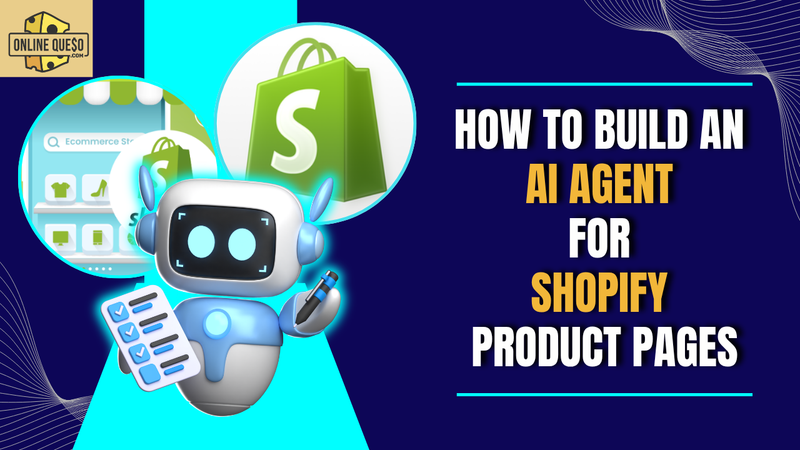
When we built Leo, our product page agent, we gave it a hard rule. It builds the listing, runs its checks, and leaves it in draft. A human reviews and flips the switch. That single line, the agent never publishes on its own, is what makes the whole thing trustworthy. Pointing that same discipline at BFCM, you let AI prep the calendar, draft the emails, and propose the segments, and then a person signs off before a single message reaches a customer.
The reason this holds up under pressure is that BFCM is when you are most tempted to cut corners and least able to afford a mistake. A wrong segment or a bad automation edit that goes out unchecked on Black Friday is not a small problem. Keep the human on the button, and AI becomes the best prep assistant you have ever had instead of a liability you did not see coming.
Frequently Asked Questions
How early should you start using AI for BFCM prep?
As early as you can, ideally 8 to 10 weeks out. The most valuable prep, auditing last year and fixing list health, needs runway because deliverability trends take weeks to improve. Starting in late October still helps, but you lose the window to fix the slow-moving problems.
What is the best use of AI for Black Friday?
Reading your own data and drafting from it. AI is strongest when it audits last year's BFCM, checks your list health, builds reviewable segments, and turns your findings into a calendar and first draft emails. It is weakest at deciding your offer or your brand positioning, which should stay with you.
What is an MCP and do I need a technical background to use it?
MCP is a standard that lets a platform like your email tool run inside an AI assistant such as Claude or ChatGPT, so you can work with your data through a normal conversation. You do not need to write code. If a tool you use has one, connecting it is usually a few clicks.
Will AI write my BFCM emails for me?
It will write strong first drafts, especially when it can pull from your past performance and brand assets. It should not send them unreviewed. The fast workflow is AI drafts, a person edits and approves, because cleaning up an invented offer or claim costs more time than the draft saved.
Can I let AI make changes to my store or campaigns automatically?
You can, but you should not for anything that goes live. The durable pattern is that AI does the work and a human owns the go-live decision. Have it build segments and draft campaigns for review, and keep a person on every button that a customer would actually see.
Final Thoughts
BFCM rewards the operators who did the boring work early, and punishes the ones who left it for the last two weeks. AI does not change that math. It just makes the boring work faster, so the prep that used to get skipped actually gets done, and the decisions that need a human are the ones left on your plate.
Point it at last year's numbers, your list, your segments, and your flows. Let it draft. Then keep your hand on the wheel for everything that ships. Learning how to use AI for BFCM this way will not just save you a hard November. It will leave you with a calmer, sharper operation going into next year.
Interested in learning more? Check out these reads:
---------------------------------------------------
Online Queso partners with a small number of tools we actually rate, and Omnisend is one of them, so this piece is part of that partnership. The advice above stands on its own no matter what platform you run. If you do want to try Omnisend, use code ONLINEQUESO for 30% off paid plans for your first 3 months: https://your.omnisend.com/onlinequeso